Free Fire Movement Tips: Move Fast & Dodge | FFGamingZone
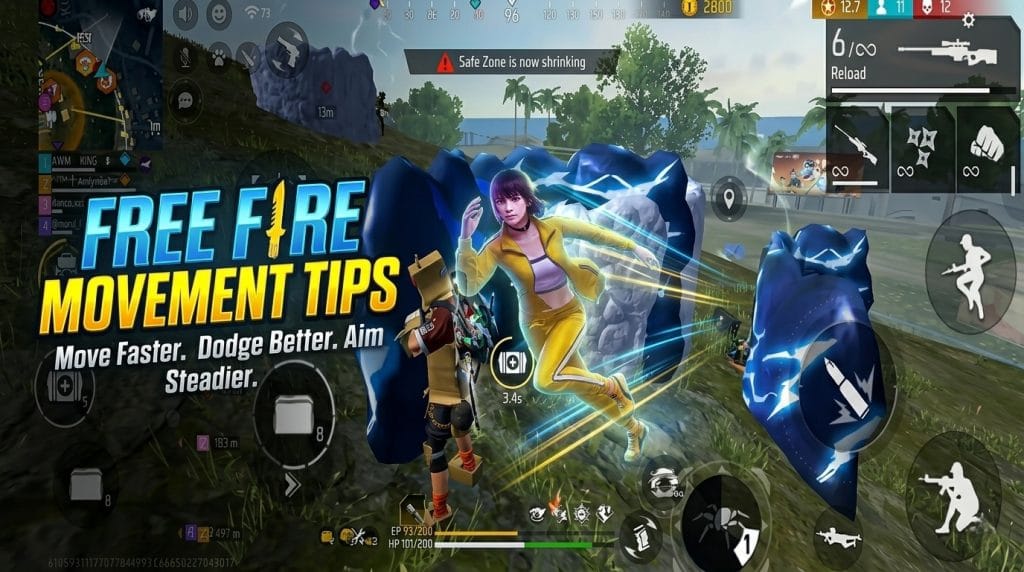
To move better in Free Fire, you need three things: a joystick you control with small, deliberate thumb movements, unpredictable but purposeful direction changes, and the discipline to stop moving when you already have cover. Fast movement that wrecks your aim loses fights. Below is how I handle it, from joystick control to ranked decisions.
How to Improve Free Fire Movement Without Losing Aim Control
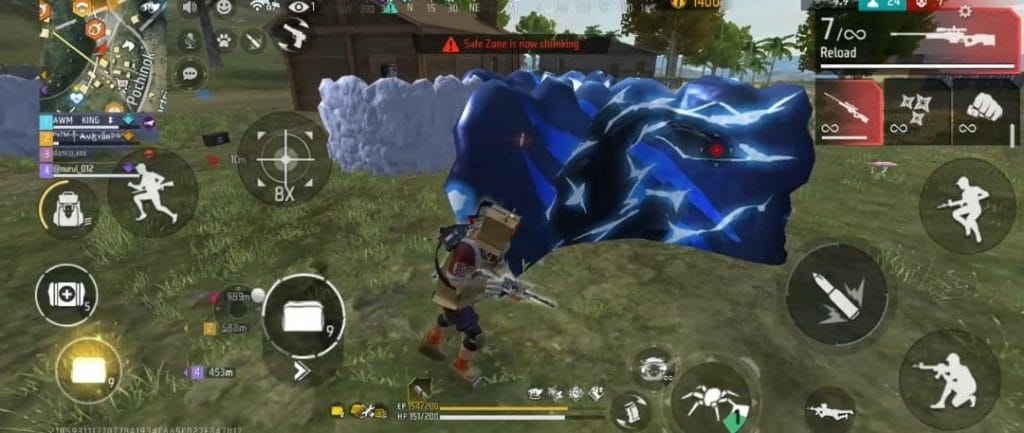
Control the Joystick for Faster, More Precise Movement
Keep your left thumb light and let it slide, rather than pressing hard in one spot. Short flicks left and right change direction quicker than big swings. If your thumb lifts off the screen mid-fight, your character stops dead, and that’s usually when you get hit.
Use Zig-Zag Movement to Make Your Position Harder to Predict
Change direction every half second or so, but not on a fixed rhythm. If the enemy can count your pattern, they just time the shot. Mix a long step, a short step, then a pause.
Master Fake Rushes to Force Enemies Into Bad Shots
Push forward for a second, then cut sideways or back behind cover. The enemy often panics, wastes ammo on your old position, or peeks at the wrong moment. Do it once or twice, not every fight, or it stops working.
How to Move and Switch Weapons Faster During Close-Range Fights
Enable Quick Weapon Switching for Smoother Combat
In close range, your shotgun or SMG should be the first thing you reach for, and the second weapon is your reload cover. The less time you spend in the weapon swap animation, the less time you stand still. Turn on the quick switch option in settings and practice the swap with your thumb already in position.
Switch Weapons Without Breaking Your Movement
Don’t stop moving to swap. Keep your left thumb going and tap the weapon button with your right at the same time. If your magazine is nearly empty, switch instead of reloading in the open.
Combine Sliding, Strafing, and Weapon Switching to Stay Mobile
A good close-range sequence goes like this: strafe in, fire, switch when the first weapon runs low, strafe the other way, finish. Sliding gets you across open gaps quickly, but don’t slide into an enemy who’s already aiming at you.
How to Optimize Free Fire Sensitivity for Better Movement and Aim
Find a Sensitivity Level That Matches Your Movement Style
There’s no perfect number. If you rush, you’ll want it a bit higher so your camera keeps up. If you hold angles and take longer shots, go lower. Start from your current settings and change it by small steps, not big jumps.
Balance General Sensitivity With Drag-Headshot Control
High sensitivity helps you turn fast, but it makes small drags jumpy. If your crosshair overshoots the head, lower it slightly. If you can’t reach the target in one swipe, raise it. Your drag should feel smooth, not like a fight.
Test Your Settings Before Using Them in Ranked Matches
Spend a few minutes in the training ground. Move, turn, drag, repeat. Once a setup feels natural, leave it alone for a week or two. Changing settings every match is the fastest way to stay inconsistent.
Which Free Fire Character Skills Improve Movement Speed?
Character abilities get rebalanced from time to time, so check the in-game description before you commit. Here’s what I’ve found useful.
Use Kelly for Consistent Sprinting and Running Speed
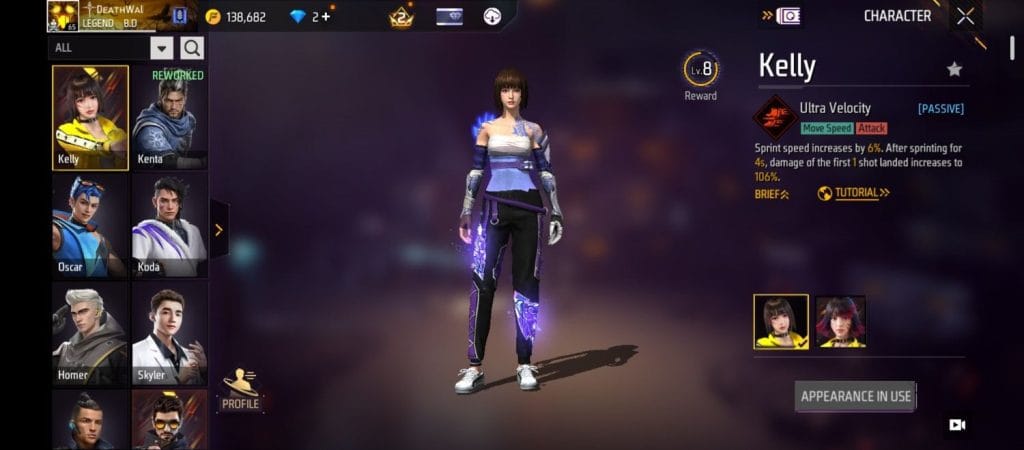
Kelly’s Ultra Velocity increases sprint speed by 6%. After sprinting for 4 seconds, the damage of the first shot that lands increases to 106%. It’s a small boost, but it adds up over a whole match, and it’s a popular pick for movement-focused squads.
Use Tatsuya for Fast Dashes and Quick Retreats
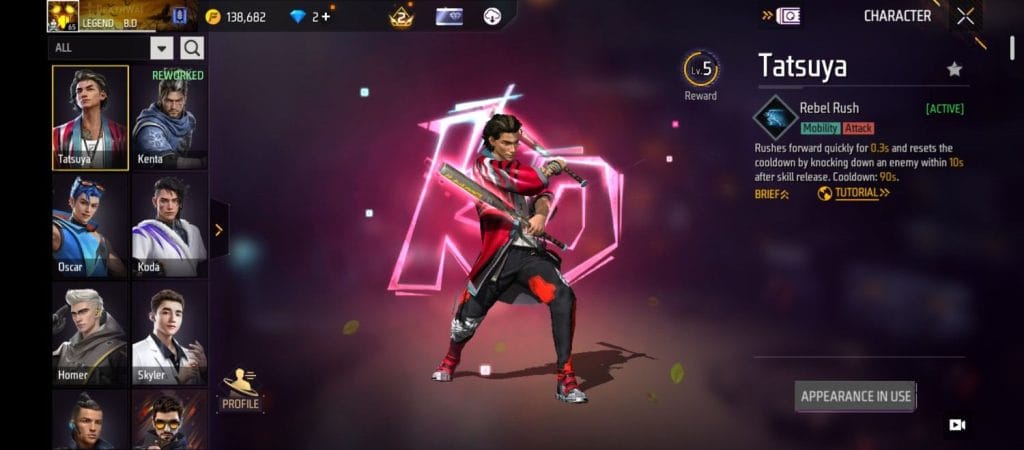
Tatsuya’s Rebel Rush lets him rush forward quickly for 0.3 seconds. Knocking down an enemy within 10 seconds after using the skill resets its cooldown.
Use Dasha to Recover Fast After Falls and Keep Recoil Low
Dasha’s Partying On activates Highlight mode after you knock down an enemy, increasing movement speed by 12% and rate of fire by 18% for up to 10 seconds. Consecutive knockdowns during Highlight mode reset the countdown and further increase movement speed by 3% and rate of fire by 4%.
Use Luna to Turn Firing Speed Into Extra Movement
Luna’s Fight or Run passive raises fire rate, and when you hit an enemy, part of that fire rate is turned into movement speed. It rewards aggressive, close-range play with fast guns like SMGs.
How to Avoid Over-Movement and Keep Your Position Under Control
Stop Changing Direction When You Already Have Cover
Behind a wall or Gloo Wall, keep still and let the cover do the job. Constant strafing behind cover just exposes you to more angles.
Use Short Movement Bursts Instead of Constant Strafing
Move, stop, shoot, move again. Constant movement wrecks your aim, so stop for the half second it takes to land your shots, then shift position.
Know When to Move, Hold Your Position, or Retreat
Simple rule I use: move when you’re in the open, hold when you have the better angle, retreat when you’re low or outnumbered. Deciding early saves you more HP than any trick.
Best Movement Settings for Faster and More Responsive Controls
Set Run Mode to Mixed for More Responsive Joystick Control
If your version of the game offers a run or sprint mode option in the controls, pick the one that lets you sprint without extra taps, since mixed is a common favorite. Menu names change between updates, so check your own settings page.
Enable Quick Weapon Switch for Faster Combat Transitions
I covered the habit earlier, but make sure the toggle is actually on, as it’s easy to forget after a fresh install or device change.
Adjust Sensitivity Based on Your Device and Aim Style
A small phone, a large tablet, and a 90 FPS device all feel different. If you change device, expect to retune. Test it again in the training ground before ranked.
Common Free Fire Movement Mistakes That Get Players Eliminated
Moving Predictably in a Straight Line
Running straight at someone is free damage for them. Always add a slight angle.
Overusing Zig-Zag Movement Without a Purpose
Zig-zagging for no reason wastes time and breaks your aim. Use it to cross open ground or when you’re being shot at, not when you’re trying to land your own shots.
Sacrificing Aim Stability for Movement Speed
If you can’t hit anything while moving, you’re not winning the fight. Slow down just enough that your crosshair stays on target.
Moving Without Checking Cover or Enemy Position
Before you run, look at where cover is and where the enemy could be. Moving blind is how you run into a second squad.
Advanced Free Fire Movement Tips for Ranked Matches
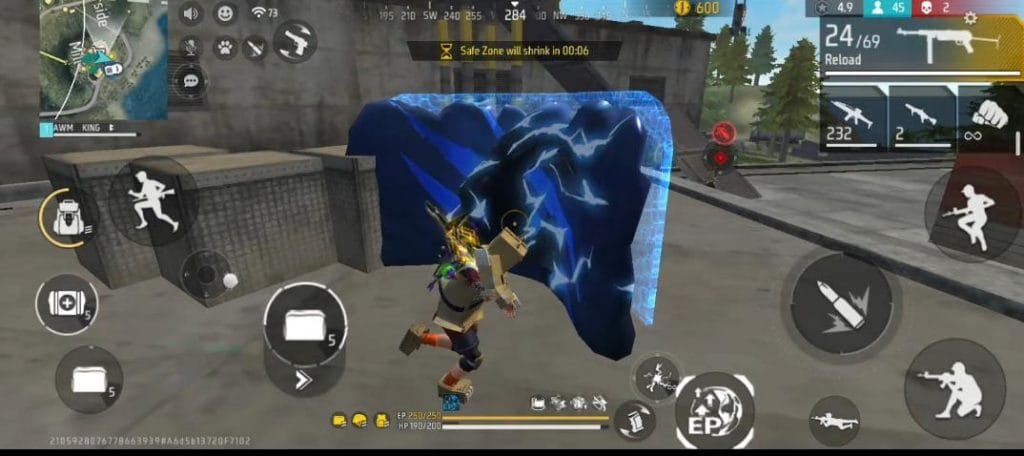
Combine Movement With Cover Instead of Relying on Speed Alone
The best players don’t just run, they move from cover to cover. Speed gets you there, but cover keeps you alive.
Use Fake Rushes When the Enemy Expects You to Retreat
When an enemy is low and thinks you’ll back off, a sudden push can finish them. Read their behavior first.
Choose Movement Based on Distance, Weapon, and Enemy Position
Close range with a shotgun means aggressive strafing. Mid range with an AR means short bursts. Long range means cover first, movement second.
Practice One Movement Technique at a Time Before Combining Them
Spend a few matches on only joystick control, then add zig-zags, then fake rushes. Trying to do everything at once just makes you messy.
Frequently Asked Questions (FAQ)
How can I move faster in Free Fire?
Use a light, flicking joystick thumb, pick a movement character like Kelly, and avoid stopping unless you have a reason.
What is the best movement technique for dodging enemy fire?
Unpredictable direction changes combined with cover. Straight-line sprints and fixed zig-zag patterns are the easiest to hit.
Which character is best for movement speed in Free Fire?
Kelly for steady sprint speed, Tatsuya for burst dashes, and Luna if you play fast-firing guns aggressively.
What sensitivity is good for movement and drag headshots?
It depends on your device and playstyle. Start from your current settings, adjust in small steps, and test in the training ground.
Should I use zig-zag movement in every fight?
No. Use it when you’re in the open or being shot at. When you have cover or need to land shots, stay steadier.